
Make sure Atlas CRM is installed before you continue.
Install the app from Google Workspace Marketplace
Install Atlas CRM for Gmail from the Google Workspace Marketplace.
You can also find a link to the Marketplace in Atlas CRM: click your profile picture in the top-right corner, select Preferences and go to the Google Workspace tab. Then click Get started with Atlas CRM for Gmail.
Connect the Gmail app to your Atlas CRM Installation
-
In Atlas CRM, click your profile picture in the top-right corner and select Preferences.
-
Go to the Google Workspace tab.
-
Under Connect Atlas CRM to Google Workspace, click Copy code. The code refreshes every 60 seconds for security. If it expires before you paste it, copy the new code.
-
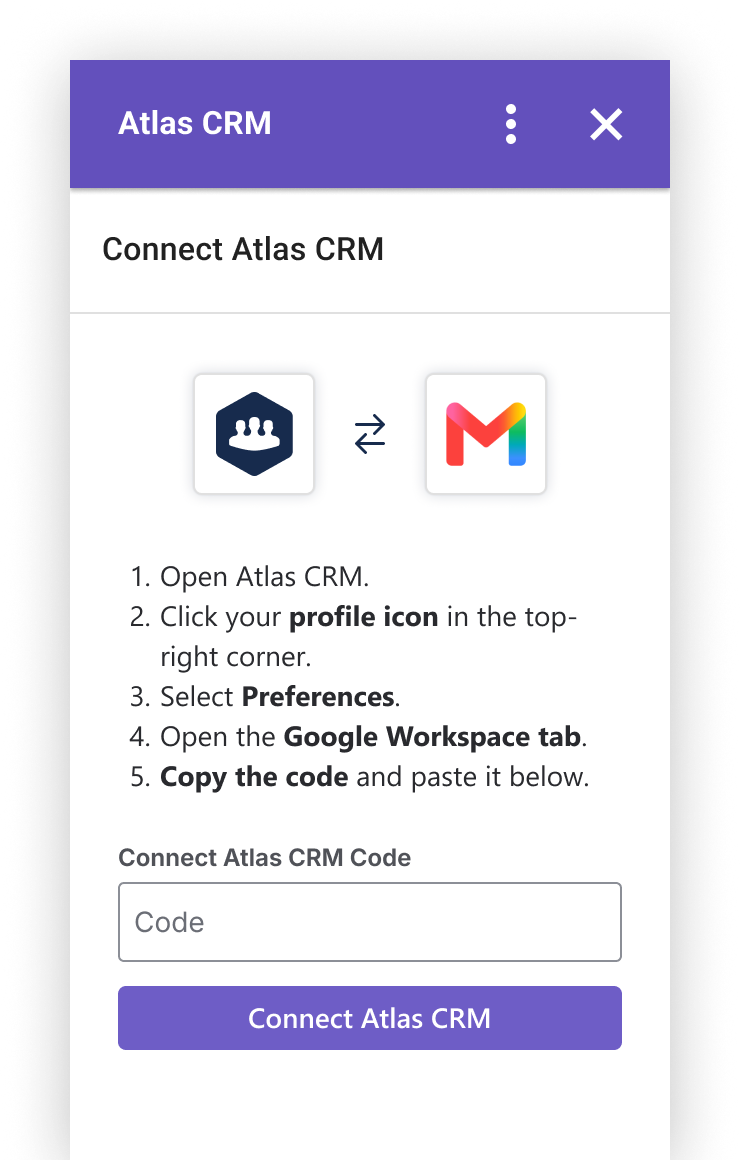
Open the add-on in Gmail and paste the code.
Connect to a different Atlas CRM site
To disconnect the add-on and connect it to another Atlas CRM site, open the add-on in Gmail, click More (⋮) and select Settings. You can disconnect from your current workspace and connect to another one if needed.