This information is only relevant if Atlas CRM - Customers in Confluence is installed.
With Atlas CRM, you can link Confluence pages to companies, contacts and sales. This gives context to your pages, such as meeting notes, proposals or contracts, and lets you find all documentation for each customer or deal in one place.
Linking an entity to a page
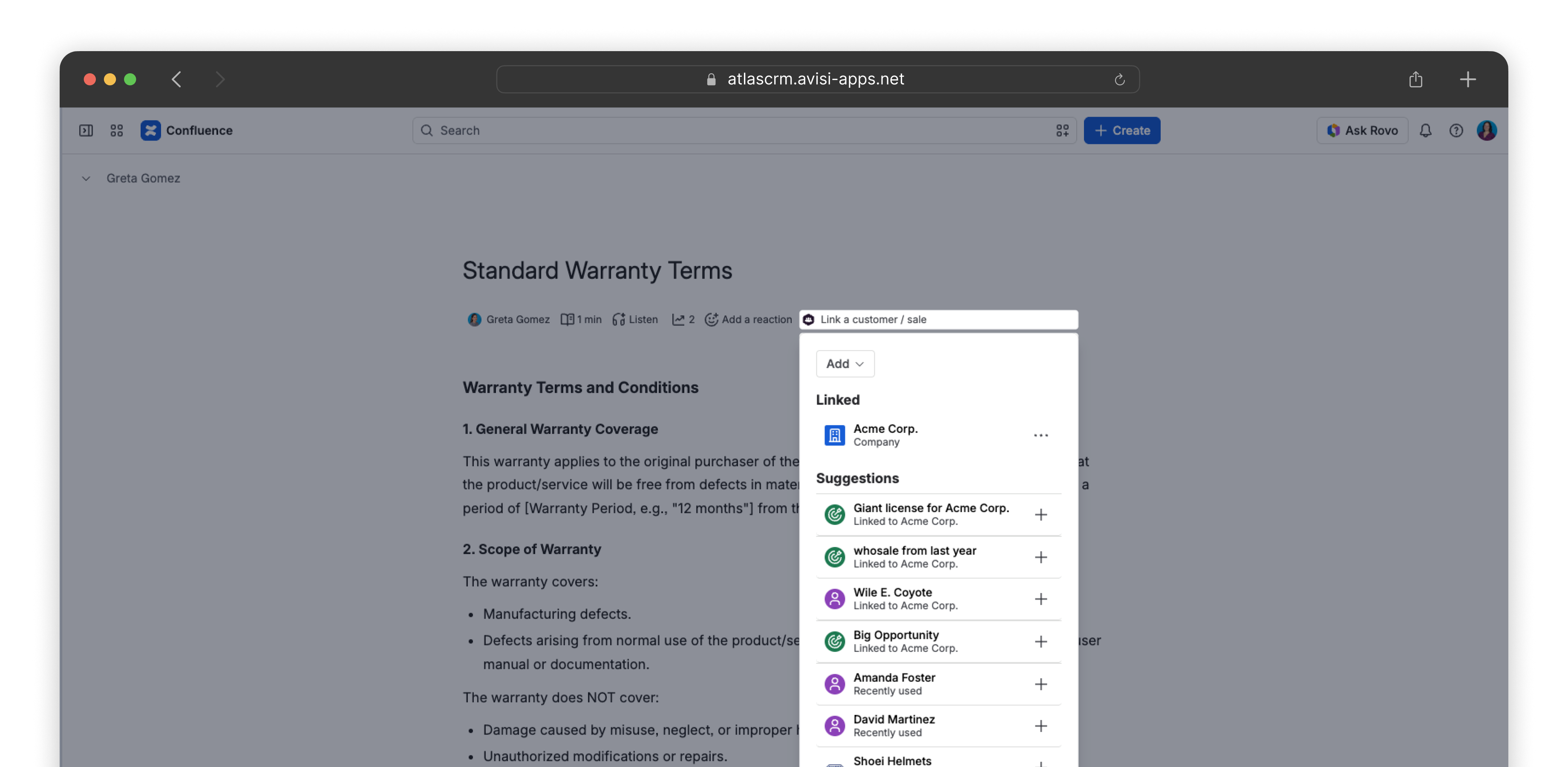
To link a company, contact or sale to a page:
-
Open a page in Confluence
-
Open the Atlas CRM menu under the title of the page
-
Use the Add button to add a company, contact or sale to the page
Open, edit and remove
Linked companies, sales and contacts are accessible from the Atlas CRM menu inside the panel on a page. You can view all company, contact, or sale details from Atlas CRM without leaving the item; just click the linked entity.
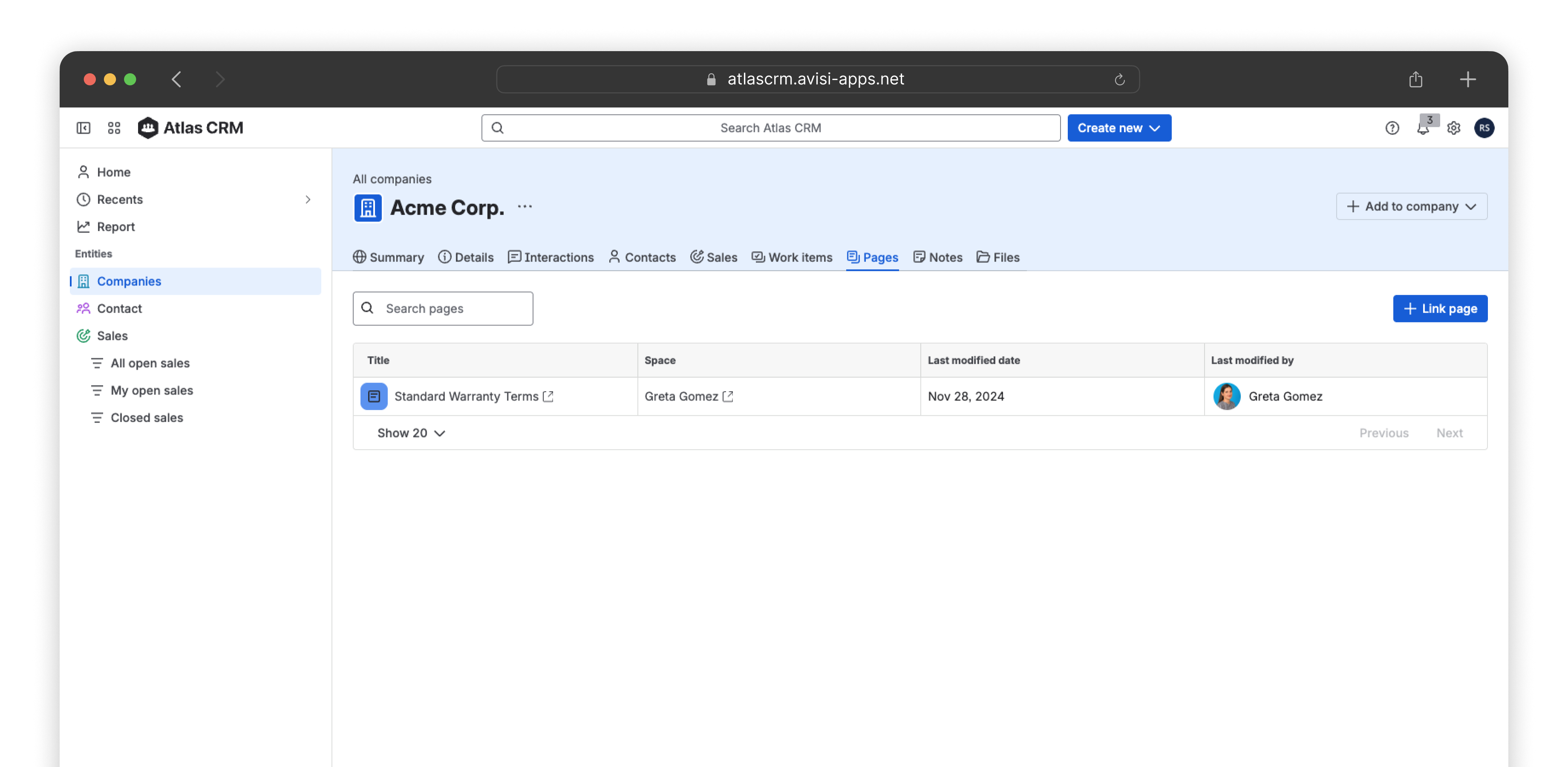
Pages overview
To see all pages linked to a company, contact or sale, open it in Atlas CRM and go to the Pages tab. The most recent work items also appear in the Pages widget on the Summary tab.