
Keeping track of every email, call, or meeting is essential to get a complete view of your customer interactions. With Manual Interactions in Atlas CRM, you can easily log and organize important touchpoints to maintain a clear and unified overview of your customer relationships.
There are a few easy ways to add an interaction:
-
Click + Add interaction on the interaction tabs
-
Click the + or + Add to entity button in the header of a detail page
-
Use the Create new button on top of the screen
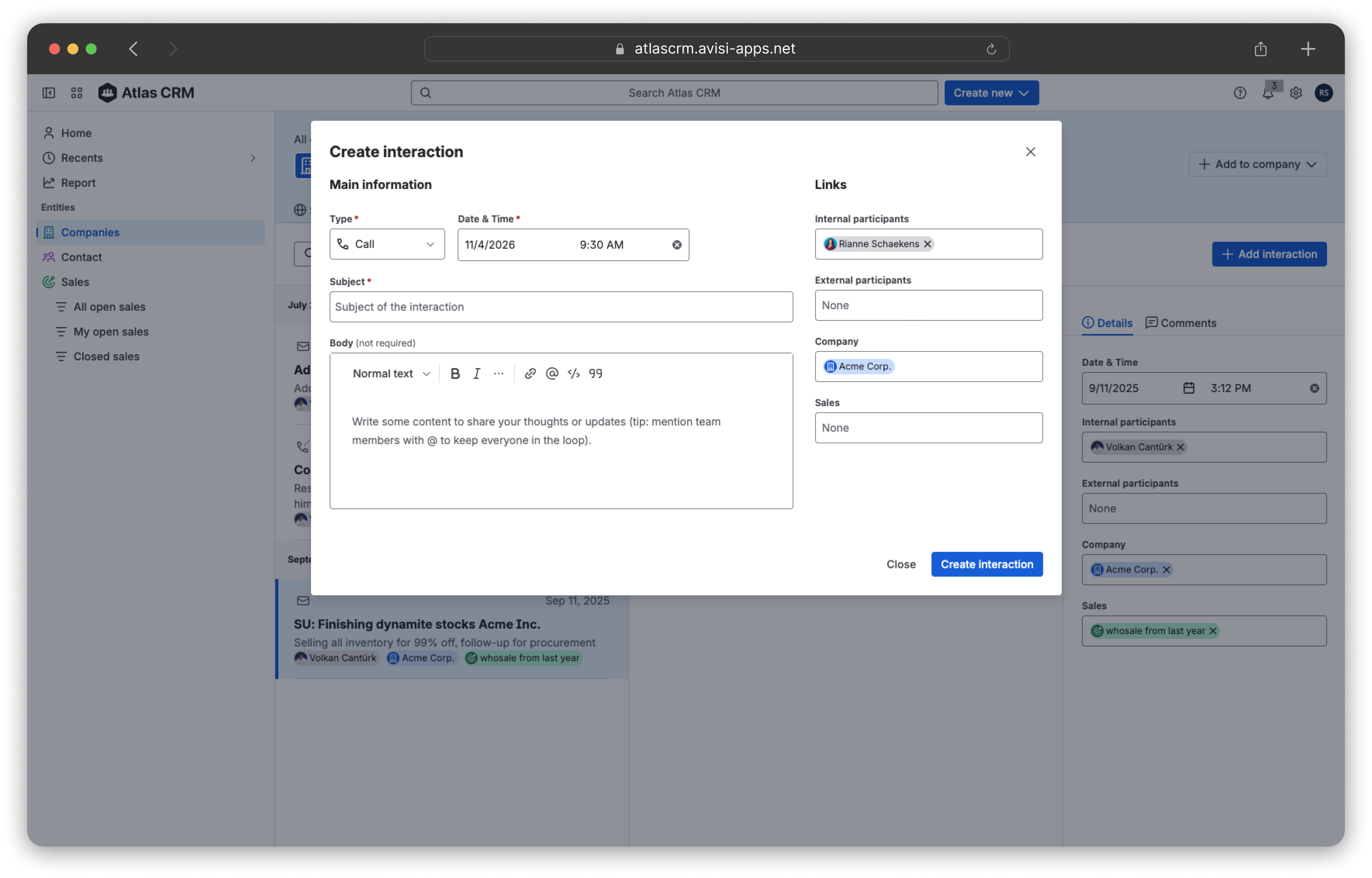
When the modal opens, fill in the details:
-
-
Interaction type: Email, Call or Meeting.
-
Date and time: when the interaction took place.
-
Subject: a short summary of the topic.
-
Body: key points, decisions and follow-up actions.
-
Links: the participants (contacts and colleagues) and the related companies or sales.
-
-
Click Create interaction
The interaction now appears on the Interactions tab of every company, contact and sale you linked it to.