
For employees, Frank is the primary way to get HR information. Instead of emailing HR or searching through Confluence, employees ask Frank directly through Rovo. This is where Frank saves the most time — handling the repetitive questions that otherwise fill HR inboxes.
How Frank answers questions
Frank combines two sources to provide personalized responses:
-
Your HR policies from the connected Confluence space
-
Employee context like role, department, manager, and lifecycle stage
This means Frank's answers depend on what you put in. You decide what's in your policy documentation, and you decide what employee information you capture in profiles. Frank uses both to give relevant, personalized answers.
If your vacation policy is documented in Confluence, Frank can answer "How many vacation days do I have?" If an employee's department is captured in their profile, Frank can tailor answers to their specific situation. The more complete your policies and profiles, the better Frank's responses.
What employees can ask
Frank can answer questions about anything in your connected policy space: leave policies, benefits, expense processes, remote work guidelines, professional development budgets, company holidays — whatever you've documented.
Frank also uses employee context to personalize answers. An engineer asking about on-call policies gets different information than someone in marketing. A new employee gets guidance appropriate for someone still onboarding.
Why this matters for HR
Every question Frank answers is one HR doesn't have to answer manually. Frank handles questions instantly, any time of day, with consistent answers based on your actual policies.
Setting up Frank
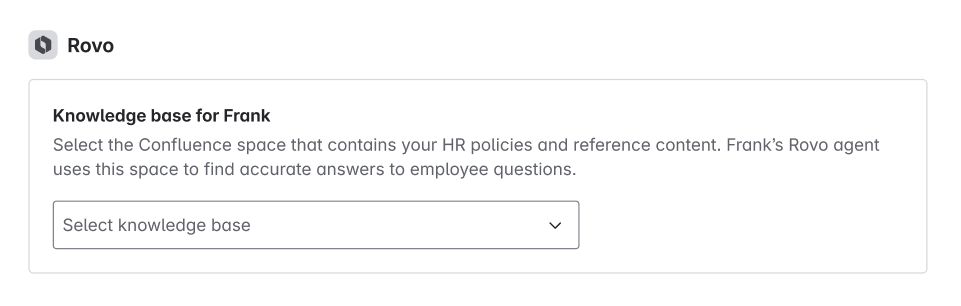
Connect your HR policy space in Frank settings under the Rovo section. Select the Confluence space containing your policies and reference content.
The better your documentation, the better Frank's answers. Use clear page titles, structure content with headings, and include specific details rather than vague guidance.