
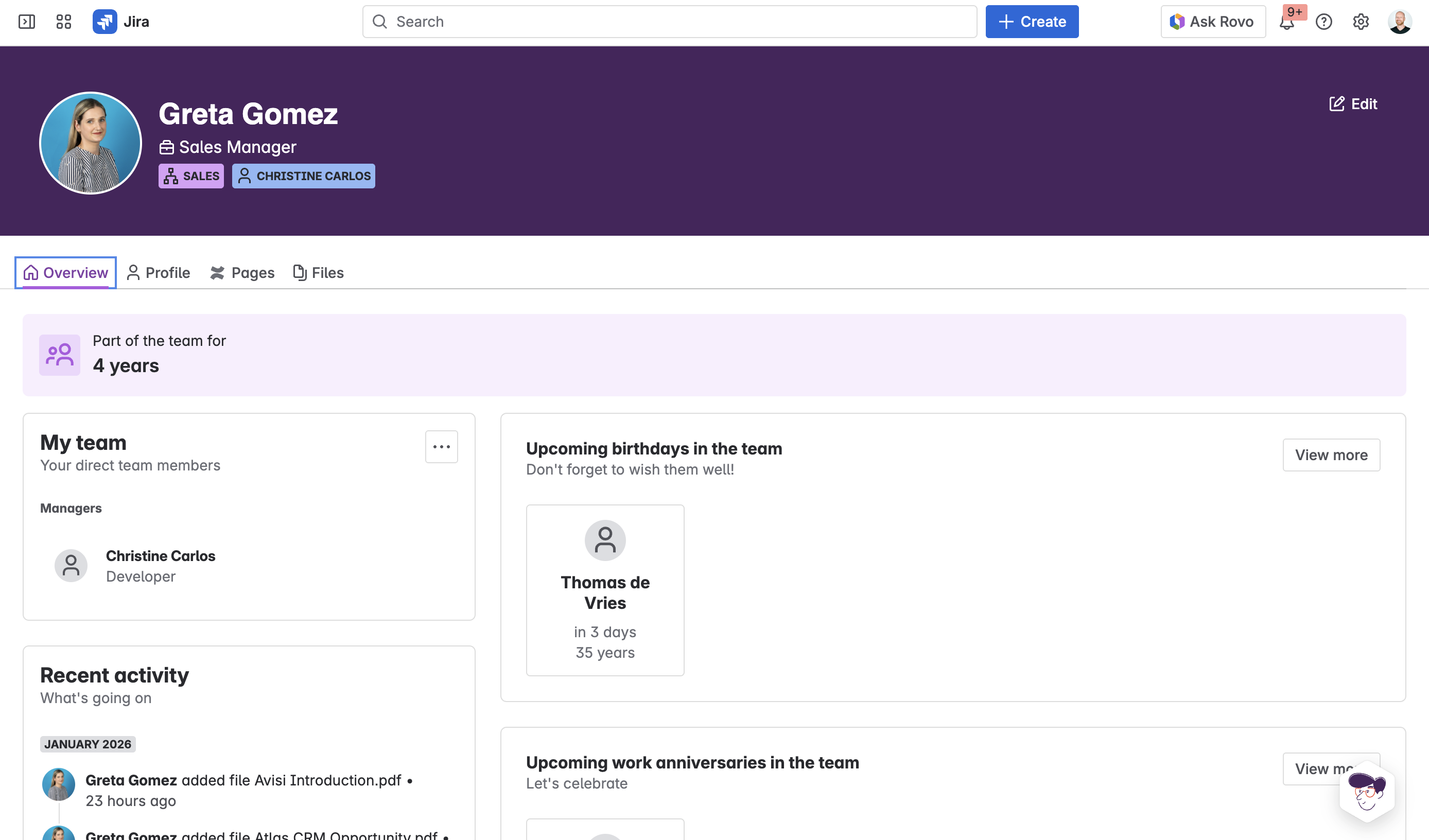
Employee profiles give HR and managers full context on each person in one place. Instead of searching through multiple systems for contact details, documents, and history, profiles consolidate everything and show it based on your permission level.
Profile sections
Homepage tab
The homepage shows an activity feed with recent changes and updates related to this employee. You'll see their basic information including name, role, department, and who their manager is. The team structure section shows where they fit in the organization and who they work with. Their current lifecycle stage appears here too — whether they're hired, onboarding, active, offboarding, or alumni.
Profile tab
The profile tab contains all the employee information your organization captures through custom fields. This includes contact details, start date, location, employment type, and any additional fields you've configured. Sensitive fields like compensation only appear if you have the appropriate permissions through the sensitive data access group.
Pages tab
The pages tab lists Confluence pages linked to this employee. This includes their onboarding document if they're new or recently onboarded, any performance review documentation, training materials, and other pages that have been associated with them. Click any page to open it directly.
Files tab
The files tab shows documents attached to the employee record. This is where you'll find contracts, certifications, ID documents, signed agreements, and any other files that have been uploaded. Files are stored as Jira attachments and respect the same permission settings as the rest of the profile.
Who can see profiles
Regular employees can see their own complete profile including all tabs and information. When viewing colleagues, they see only basic information: name, role, department, and manager.
HR staff and managers in the sensitive data access group can see complete profiles for employees they have permission to view, including sensitive fields and all attached documents.
Navigating to profiles
Click any employee name in the People Dashboard to open their profile. You can also access profiles from the Employees list in the Frank sidebar, or by clicking employee names wherever they appear in Frank.