
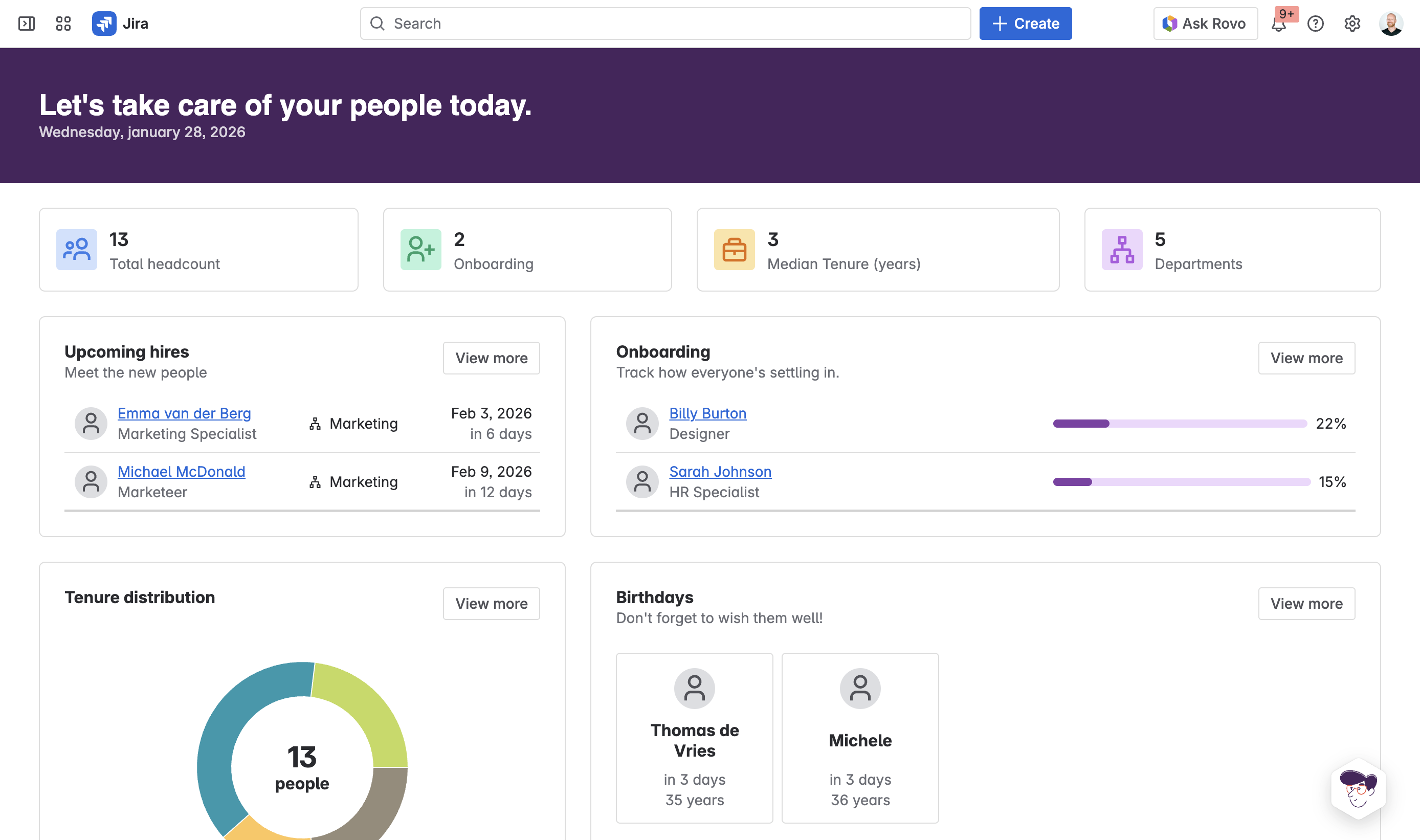
The People Dashboard is your central view for understanding what's happening across your organization. It brings together employee data, onboarding status, and team insights in one place so HR and managers don't have to piece information together from multiple sources.
What the dashboard shows
Functional distribution
A visual breakdown of your organization by department or function. See at a glance how many people work in each area — Human Resources, Operations, Consulting, Business Development, and any other departments you've defined. Click a department to drill down into the team members.
Onboarding
Track how everyone's settling in. The onboarding section shows employees who are currently going through onboarding, along with their progress percentage. Progress is calculated from the checklists in each person's onboarding document — as they complete tasks and check off items, their percentage increases.
Each employee card shows their name, role, and a progress bar. If someone's progress has stalled, it's easy to spot and follow up. Click "View more" to see the full list of people currently onboarding.
Work anniversaries
Celebrate your team. The work anniversaries section shows upcoming milestones so you don't miss an opportunity to recognize people. You'll see the employee name, the date of their anniversary, and how many years they've been with the company. Birthdays also appear here if you track them.
Tenure distribution
Understand your organization's experience mix. The tenure distribution chart breaks down employees by how long they've been with the company: less than 1 year, 1-2 years, 3-5 years, and 6+ years. This helps you understand turnover patterns and plan for knowledge transfer.
Upcoming hires
See who's joining soon. The upcoming hires section lists employees with future start dates, showing their name, role, department, and when they're starting. This helps HR and managers prepare for new arrivals.
Navigating the dashboard
Click any department in the functional distribution to see the team members in that area. Click any employee name to open their full profile. Use the "View more" links to expand sections and see complete lists.
The dashboard updates in real-time as employee data changes in the underlying Jira project. When someone's onboarding status changes or a new hire is added, the dashboard reflects it immediately.