Improvements to the (sub)item selector
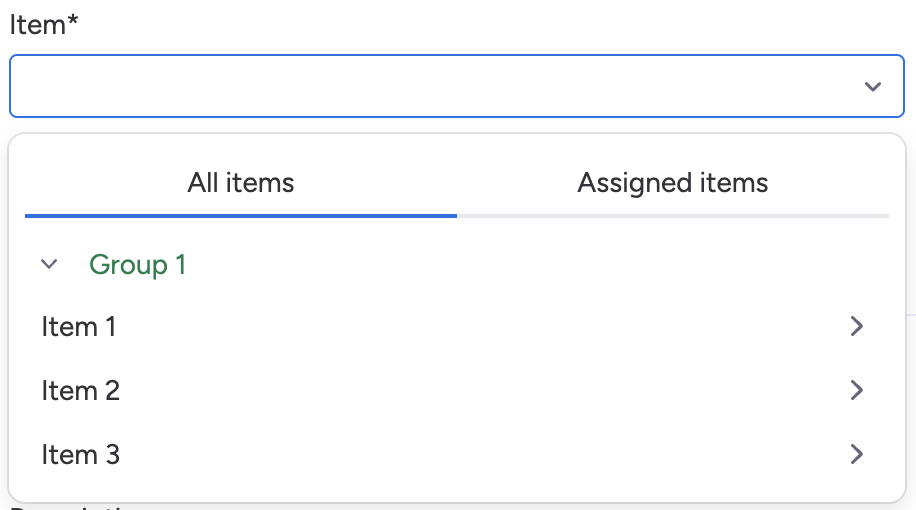
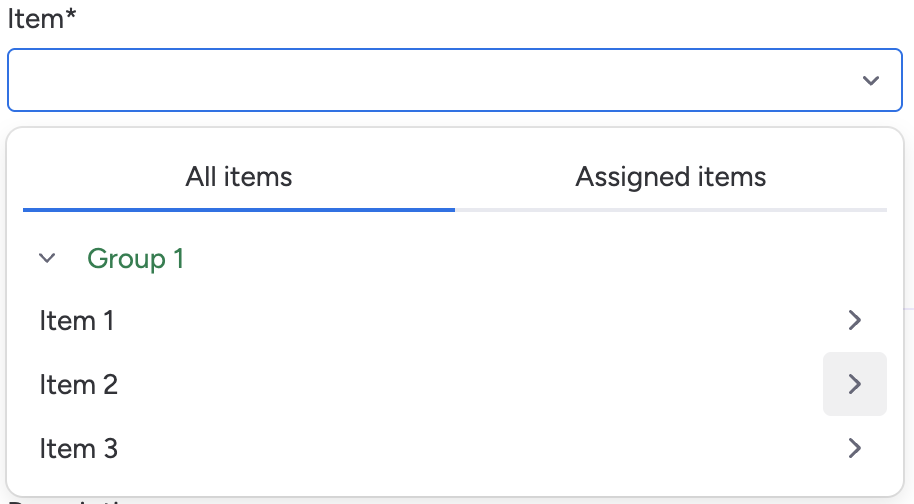
Recently we added support for multi level boards. With this change, we also introduced a new way of selecting your (sub)items in the time entry form; a singular field.
Over the last week we have received feedback about the new way of selecting (sub)items and we have listened.
The feedback that we heard the most is that it is harder to search a specific item when items and subitems are always shown in the search result. Repeating subitem names would make it even harder to find the correct item.
Here's an overview of the changes we made to improve finding the right item on your boards.
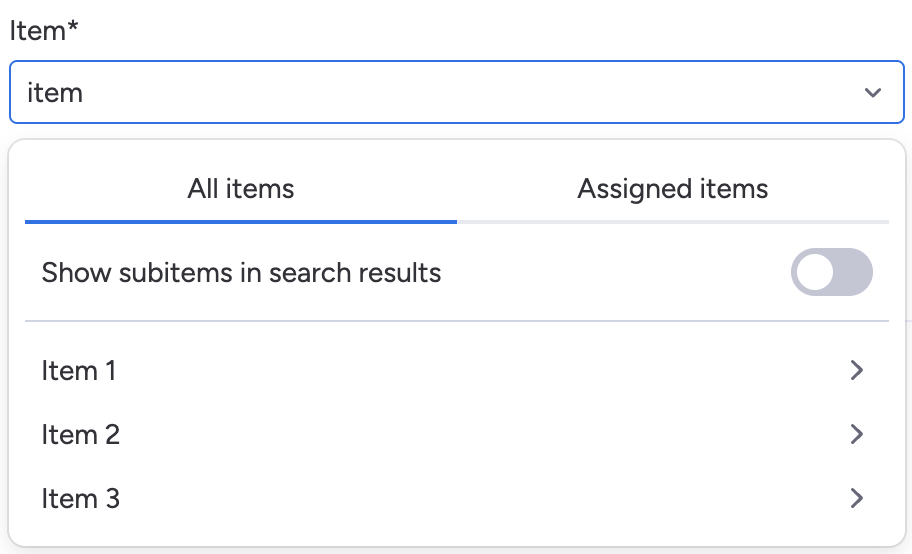
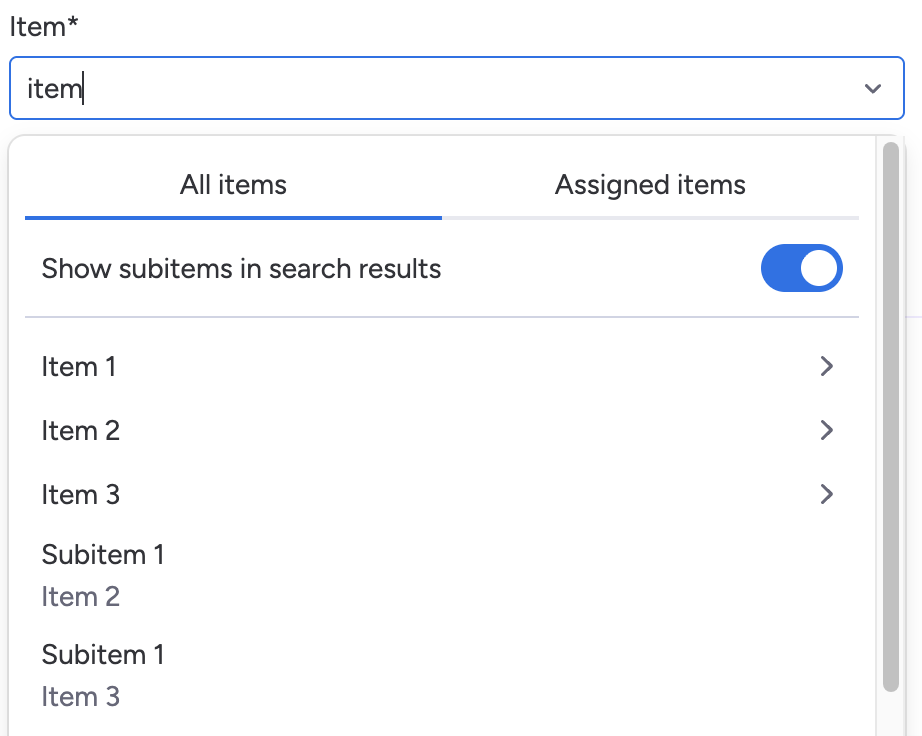
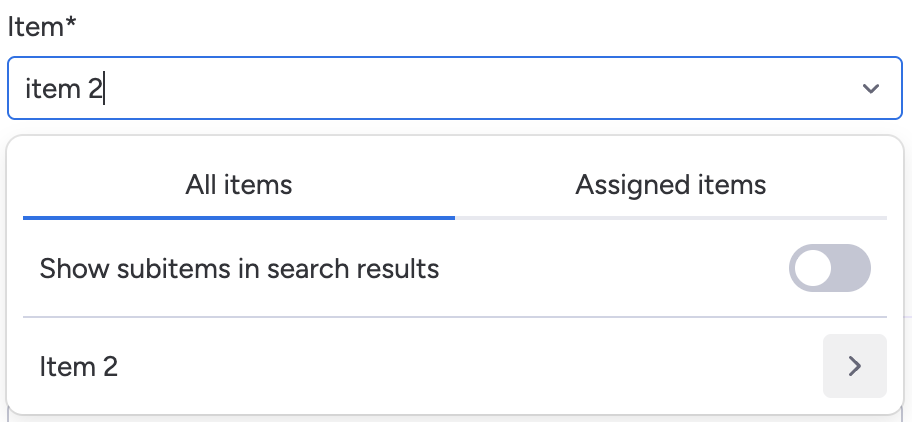
Choose if you want to show subitems in search results
When searching at the first level, you can now choose whether subitems are included in your results.
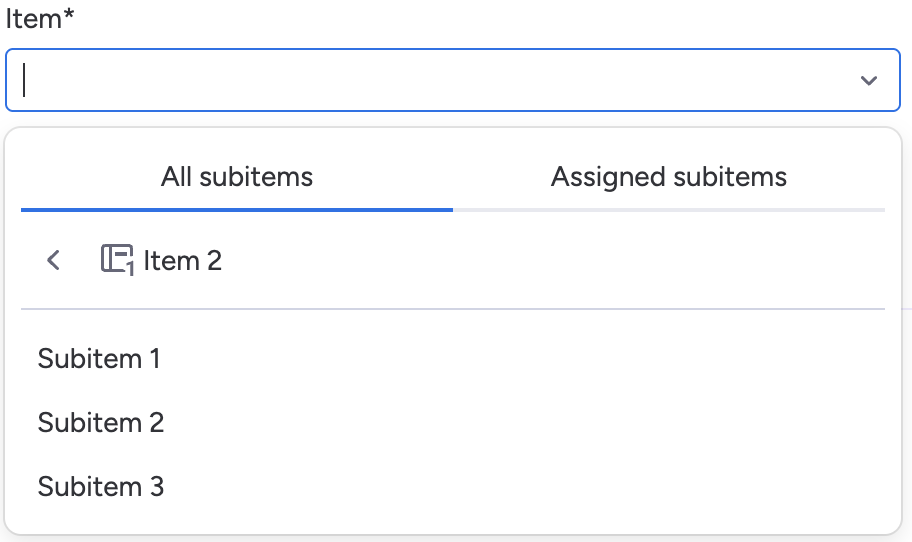
Zoom in on an item to search for subitems
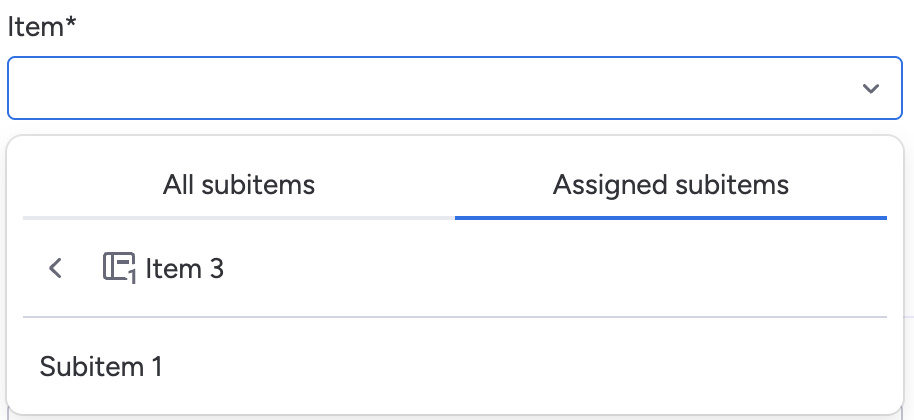
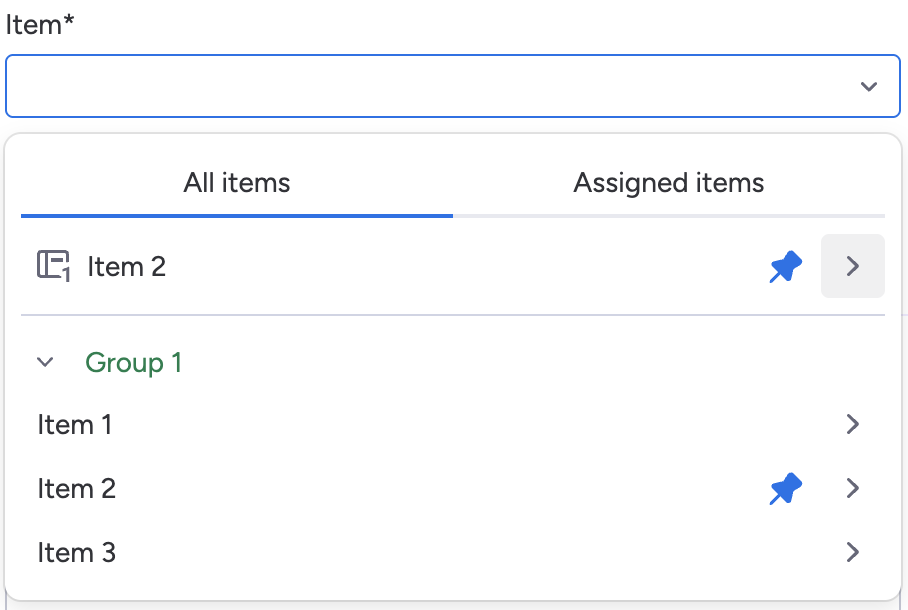
You can now click the arrow on any item to zoom in and browse or search within its subitems. This also works for pinned items and for items in your search results. When zoomed in, the search field lets you search within that specific item.
View assigned (sub)items separately
Previously, the assigned items filter applied to items and subitems at the same time. You can now switch between all and assigned items separately for the top level and the levels below. This way you can see all highest level items while only showing assigned subitems.